How to Share Netflix Account with Family
Sharing your Netflix account with family members can be a cost-effective way to enjoy a wide range of TV shows, movies, and documentaries together. However, it's important to understand how to do it safely and responsibly while adhering to Netflix's terms of service. Here's a step-by-step guide on how to share your Netflix account with family, including tips for managing profiles and data usage.
Before we dive in, it's crucial to note that Netflix's terms allow you to share your account with people you live with. However, they do not permit sharing your account with individuals outside your household. To ensure you're acting within their guidelines, it's best to share your account with immediate family members who live with you.
Understanding Netflix's Plan Tiers
Netflix offers several plan tiers to accommodate different needs and budgets. Understanding these plans will help you determine the best way to share your account with your family.


1. Basic with Ads: The most affordable plan, it allows you to watch on one screen at a time and includes ads during viewing. Not ideal for sharing with a large family. 2. Basic: This plan allows you to stream on one screen at a time and doesn't include ads. It's suitable for one person or a couple. 3. Standard: With this plan, you can stream on two screens simultaneously. It's great for families who want to watch different content at the same time. 4. Premium: The most expensive plan, it allows streaming on four screens concurrently and includes access to Ultra HD and HDR content.
Creating Additional Profiles for Family Members
Each Netflix account comes with the option to create up to five different profiles. This allows family members to have their own personalized viewing experience, complete with recommended content and viewing history.
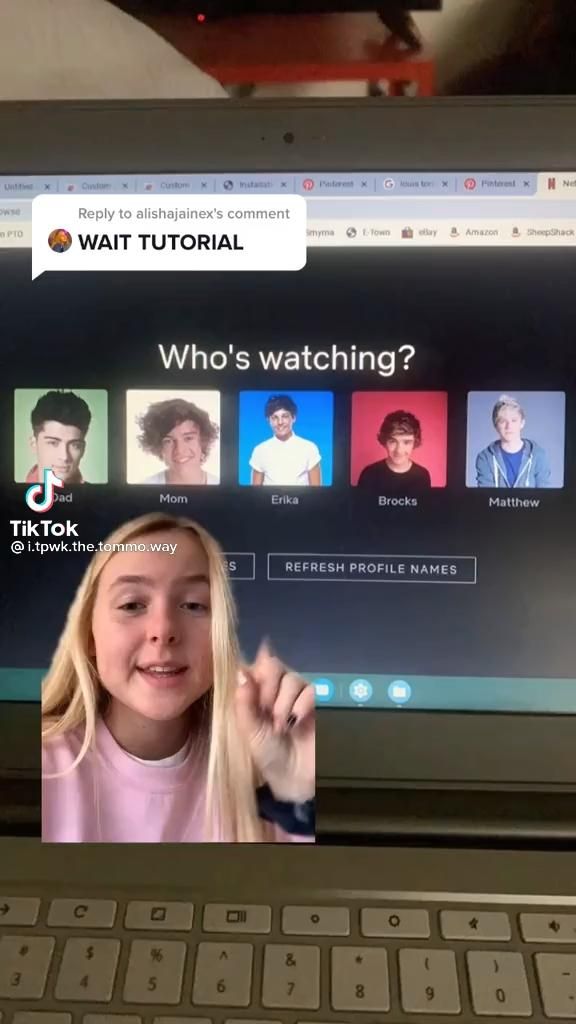

To create a new profile, follow these steps: 1. Log in to your Netflix account using a web browser. 2. Click on the 'Manage Profiles' option. 3. Click on 'Add Profile' and enter the desired profile name. 4. Select the appropriate maturity level for the profile. 5. Choose the theme you'd like for the profile and click 'Save'.
Managing Data Usage for Shared Accounts
When sharing your Netflix account with family, it's essential to be aware of data usage, especially if you're on a limited data plan. Netflix offers settings to help you manage data usage on both computers and mobile devices.
To adjust data usage settings, follow these steps: 1. Log in to your Netflix account using a web browser. 2. Go to 'Data Usage' in your account settings. 3. Choose from the available streaming plan options, such as 'Auto' (adjusts data usage based on your internet connection), 'Low' (about 0.3 GB per hour), 'Medium' (around 0.7 GB per hour), and 'High' (up to 3 GB per hour).
Sharing Your Netflix Account Securely
While sharing your Netflix account with family can be convenient, it's essential to do so securely. To protect your account and personal information, follow these tips:
Use Strong Passwords
A strong, unique password can help prevent unauthorized access to your Netflix account. To create a strong password, use a combination of uppercase and lowercase letters, numbers, and special characters. Avoid using easily guessable information, such as birthdays or pet names.
Enable Two-Factor Authentication
Enabling two-factor authentication (2FA) adds an extra layer of security to your Netflix account. With 2FA, you'll need to enter a unique code in addition to your password to log in. To enable 2FA, go to your account settings and follow the prompts to set it up. You can use either text codes or an authenticator app for this purpose.
Keep Your Account Details Private
To prevent others from accessing your Netflix account, avoid sharing your login credentials on public forums or social media platforms. Only share your account details with trusted family members and avoid writing down or storing your password in easily accessible places.
Sharing your Netflix account with family can be a great way to enjoy entertainment together while saving money. By understanding Netflix's plan tiers, creating additional profiles, managing data usage, and maintaining strong security practices, you can ensure a smooth and safe sharing experience for everyone involved. So, gather your loved ones, and start streaming your favorite shows and movies together today!
Related Articles

How to Share Uber Account with Family
Sharing an Uber account with family members can be a practical solution for convenient and cost-effective rides. While Uber doesn't officially support account...

"Share Apple TV+: How to Subscribe & Share with Family"
Sharing your Apple TV+ subscription with family members can enhance your streaming experience, making it a more enjoyable and affordable way to watch your...

Share Your Microsoft 365 Family Subscription with Ease
In the digital age,Microsoft 365 has become an essential productivity suite for millions worldwide. With Microsoft 365 Family subscription, you can share your...

Share PS Plus Easily: How to Use One Account on Another
Ever wished you could share your PlayStation Plus subscription with friends or family? Unfortunately, Sony's PlayStation Plus (PS Plus) service doesn't support...

How to Share Nest Camera with Family
When it comes to keeping an eye on your home or business, a Nest Cam can be an invaluable tool. But what if you want to share the footage and alerts with your...

How to Share Google Play Pass with Family
Ever felt like you've struck gold with an app or game on Google Play Store, only to wish you could share it with your loved ones? Fret not! google play passes...